
Reader-supported: some links are partner links; we may earn a commission at no extra cost to you, and it never affects our verdict. See our disclosure.
Quick verdict: ClickUp offers more value — a genuinely usable free plan (unlimited users), paid tiers from $7/user/mo, and no seat minimums. Monday.com (from $9/seat/mo, 3-seat minimum) is more polished and easier for non-technical teams. Pick ClickUp for value and flexibility; Monday.com for a cleaner, simpler experience.
Compared at a glance (2026)
| ClickUp | Monday.com | |
|---|---|---|
| Free plan | Unlimited users | 2 users / 200 items (sandbox) |
| Paid from | $7/user/mo (Unlimited) | $9/seat/mo (Basic) |
| Mid tier | $12/user/mo (Business) | $19/seat/mo (Pro) |
| Seat minimum | None | 3 seats |
Pricing verified against Tech Insider and ClickUp. Confirm current prices on each vendor’s site.
How we review: total cost (base + per-user/employee + add-ons), ease of setup, feature depth, support, and real user feedback — see our methodology. Last updated June 2026.
Choosing the right project management tool can make or break your productivity. If you’ve been torn between Monday.com and ClickUp, you’re not alone.
Both promise to streamline your workflow, boost collaboration, and keep your projects on track—but which one truly fits your needs? In this ultimate showdown, you’ll get a clear, side-by-side comparison that cuts through the noise. By the end, you’ll know exactly which platform empowers you and your team to work smarter, not harder.
Ready to find your perfect match? Keep reading.
Credit: m.youtube.com
Feature Comparison
Comparing features is key to choosing the right project management tool. Monday.com and ClickUp offer many functions that help teams stay productive and organized. Each platform has strengths that suit different workflows and preferences. This section breaks down their main features to help you decide.
Task Management
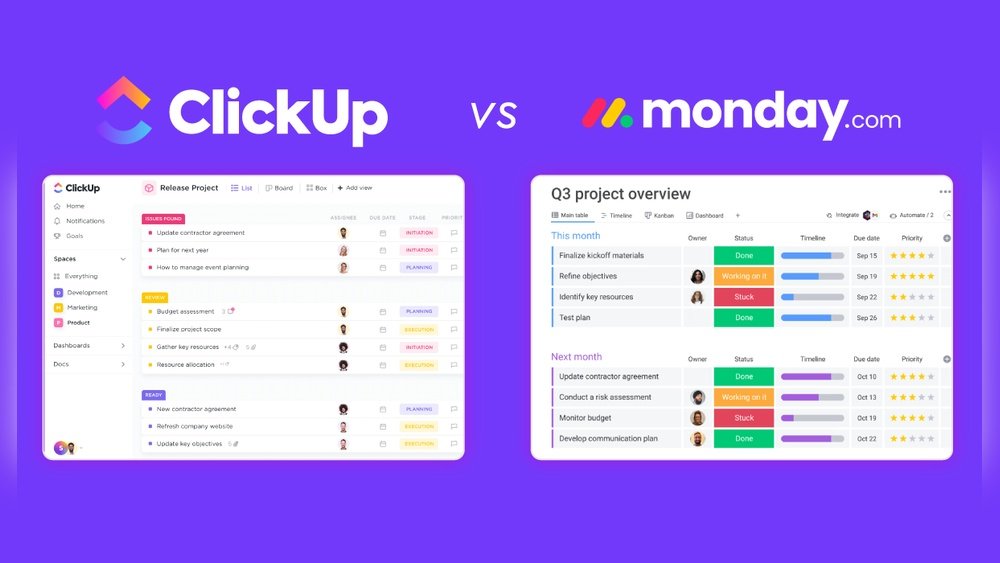
Monday.com uses a visual board system with customizable columns. It allows easy task tracking through statuses, due dates, and priorities. ClickUp provides a more detailed task view with nested subtasks, checklists, and time tracking. Both support task dependencies but ClickUp offers more depth for complex projects.
Customization Options
Monday.com excels in simple, colorful templates that users can tailor. Its drag-and-drop interface makes customization straightforward. ClickUp offers advanced customization with custom fields, statuses, and views. Users can create personalized workflows to match unique team needs.
Collaboration Tools
Both platforms offer real-time comments, mentions, and file sharing. Monday.com integrates easily with popular communication apps. ClickUp adds built-in chat and document collaboration features. Notifications and activity feeds keep everyone updated on progress.
Automation Capabilities
Monday.com provides automation recipes for common tasks like reminders and status updates. These automations are easy to set up with no coding required. ClickUp offers more complex automation options, including custom triggers and actions. This helps reduce repetitive work efficiently.
Mobile Experience
Monday.com’s mobile app is clean and user-friendly. It supports quick task updates and notifications on the go. ClickUp’s app is feature-rich but can feel crowded on smaller screens. Both apps sync smoothly with their desktop versions, ensuring work continues without interruption.
Credit: medium.com
Credit: max-productive.ai
Frequently Asked Questions
What Are The Main Differences Between Monday.com And Clickup?
Monday. com offers a user-friendly interface with strong visual project tracking. ClickUp provides deeper customization and more features for detailed workflows. Both excel in collaboration but suit different team needs and project complexities.
Which Platform Is Better For Small Businesses?
ClickUp is ideal for small businesses needing extensive customization at a lower cost. Monday. com suits small teams wanting simplicity and visual project management without steep learning curves.
How Do Monday.com And Clickup Compare In Pricing?
Monday. com uses tiered plans based on users and features, often pricier. ClickUp offers more flexible pricing with a generous free plan, making it budget-friendly for startups and growing teams.
Can Both Tools Integrate With Other Software Easily?
Yes, both Monday. com and ClickUp support numerous third-party integrations. They connect with popular apps like Slack, Google Drive, and Zoom, enhancing workflow automation and team productivity.
Conclusion
Choosing between Monday. com and ClickUp depends on your team’s needs. Monday. com offers a clean, easy-to-use interface. ClickUp provides more features and customization options. Both tools help manage projects and improve teamwork. Consider your budget, team size, and workflow style.
Test each platform with your team for best results. The right choice boosts productivity and keeps projects on track. Simple and clear—your project management solution awaits.