

Reader-supported: some links are partner links; we may earn a commission at no extra cost to you, and it never affects our picks. See our disclosure.
Quick verdict: For agencies, Later (from $18.75/mo) offers the best value with visual planning, AI scheduling and an agency Scale plan; SocialPilot and Sendible are also purpose-built for multi-client workflows. Enterprise teams needing deep reporting should look at Sprout Social ($199/seat) or Hootsuite ($99/user). Buffer ($6/channel) is the lean budget pick.
Compared at a glance (2026)
| Tool | Best for | Starts at |
|---|---|---|
| Later | Agencies (visual + value) | $18.75/mo |
| Buffer | Lean budget | $6/channel/mo |
| Hootsuite | Mid/enterprise | $99/user/mo |
| Sprout Social | Enterprise reporting | $199/seat/mo |
Pricing verified against 2026 sources incl. Later and Buffer. Confirm current prices on each vendor’s site.
How we review: total cost, ease of use, features and real user feedback — see our methodology. Last updated June 2026.
Managing multiple clients’ social media accounts can quickly become overwhelming. You need a tool that helps you plan, schedule, and post content effortlessly—all while keeping your team and clients on the same page.
If you’re tired of juggling calendars and chasing deadlines, finding the best social media scheduler for agencies could be your game-changer. You’ll discover top tools designed to save you time, boost your efficiency, and help your agency shine. Ready to take control of your social media management?
Let’s dive in.
Credit: adamconnell.me
Top Social Media Schedulers
Choosing the right social media scheduler is essential for agencies managing multiple clients. The best tools save time, improve workflow, and boost content consistency across platforms. Several top schedulers stand out for their features and ease of use.
These tools help agencies plan, create, and publish posts efficiently. They also offer team collaboration and performance tracking options. Let’s explore some popular social media schedulers suited for agencies.
Socialbee Features
SocialBee offers content categorization and recycling for constant engagement. It supports multiple social platforms and provides detailed analytics. The tool includes audience targeting and post variations. Agencies can manage client accounts with ease.
Buffer Benefits
Buffer is simple and user-friendly for beginners. It allows scheduling, publishing, and analytics in one place. The interface is clean and easy to navigate. Buffer supports team collaboration and approval workflows.
Hootsuite Advantages
Hootsuite covers scheduling, monitoring, and analytics comprehensively. It integrates with many social networks and apps. The dashboard shows all social streams in one place. It supports bulk scheduling and team roles.
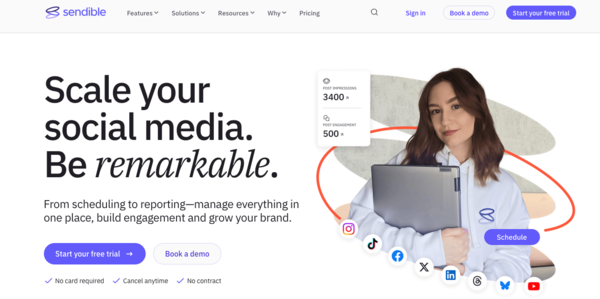
Planable And Socialpilot
Planable excels in collaborative content approval and feedback. It offers a visual calendar and live preview features. SocialPilot is budget-friendly and supports bulk scheduling. It includes client management tools and detailed reports.
Loomly And Cloud Campaign
Loomly provides content ideas and automated publishing. It helps teams collaborate with approval workflows. Cloud Campaign focuses on campaign management and reporting. It supports multi-account handling and real-time analytics.
Credit: www.sendible.com
Key Features For Agencies
Agencies need social media schedulers with features that save time and improve workflow. The right tools help manage many clients and posts efficiently. Key features support agency teams in handling tasks smoothly and professionally.
Bulk Scheduling
Bulk scheduling lets agencies plan many posts at once. It saves hours by uploading multiple messages in one step. Agencies keep content consistent across all client accounts without stress.
Content Curation
Content curation tools help agencies find and share relevant posts quickly. They provide fresh ideas and reduce the effort of creating content from scratch. Agencies can keep client feeds active and interesting.
Team Collaboration
Team collaboration features allow members to work together easily. Teams can assign tasks, share drafts, and approve posts within one platform. This avoids confusion and speeds up the publishing process.
Client Management
Client management tools organize all client accounts in one place. Agencies track each client’s posts, deadlines, and feedback clearly. It simplifies communication and builds stronger client relationships.
Analytics And Reporting
Analytics and reporting show how posts perform on different platforms. Agencies use data to improve strategies and prove their value to clients. Clear reports help clients see the progress and results of social media efforts.
Pricing And Plans
Choosing the right social media scheduler for agencies depends a lot on pricing and plans. Each agency has unique needs and budgets. Some tools offer free access with basic features. Others provide affordable plans for growing teams. Large agencies may require advanced enterprise solutions. Understanding these options helps select the best fit.
Free Options
Many social media schedulers offer free plans. These are great for small teams or trial use. Free options usually limit the number of social profiles or scheduled posts. Basic features like simple scheduling and basic analytics are included. Free plans help agencies test tools before paying. They suit startups with tight budgets.
Affordable Plans
Affordable plans target small to medium agencies. Prices often start from $10 to $50 monthly. These plans unlock more social profiles and posts per month. Extra features like team collaboration and content calendars may be included. Affordable plans balance cost and functionality well. They fit agencies aiming to grow without overspending.
Enterprise Solutions
Enterprise solutions serve large agencies or those with complex needs. Pricing varies and often requires custom quotes. These plans offer unlimited users, advanced analytics, and priority support. Additional features like client management and white-label options are common. Enterprise solutions ensure scalability and security. They cater to agencies managing multiple clients and campaigns.

Credit: sproutsocial.com
Choosing The Right Scheduler
Choosing the right social media scheduler is key for agencies managing multiple clients. It shapes how you plan, post, and track content. The perfect tool fits your agency’s size, handles your platforms, and supports your team well.
Agency Size Considerations
Small agencies need simple tools with essential features. Larger agencies require advanced options like team collaboration and detailed reporting. The scheduler must scale as your agency grows. Check user limits and pricing for multiple clients.
Platform Integrations
Choose a scheduler that supports the social platforms you use most. Facebook, Instagram, Twitter, LinkedIn, and Pinterest are common. Some tools also connect with TikTok and YouTube. Seamless integration saves time and avoids extra work.
Ease Of Use
A clean, intuitive interface speeds up scheduling tasks. Look for drag-and-drop calendars and quick post creation. Training time should be minimal for your team. The tool should help avoid mistakes and make content planning simple.
Customer Support
Good customer support ensures you fix issues fast. Check if the scheduler offers chat, email, or phone help. Some provide tutorials and community forums. Responsive support reduces downtime and keeps your campaigns running smoothly.
Boosting Efficiency
Boosting efficiency is key for agencies managing multiple social media accounts. A good social media scheduler saves time and reduces errors. It helps teams post consistently and stay organized across platforms.
With the right tools and strategies, agencies can improve their workflow. This allows more focus on creative tasks and client engagement. Efficiency also means better results and happier clients.
Automation Tips
Use automation to handle repetitive tasks like posting and reporting. Set up rules to publish content at best times automatically. Automate responses for common questions to save time. Test automation settings regularly to ensure accuracy.
Workflow Streamlining
Create clear steps for content creation, approval, and scheduling. Use shared calendars to keep everyone on the same page. Assign tasks to team members with deadlines. Integrate your scheduler with other tools for smooth data flow.
Scheduling Best Practices
Plan posts ahead to avoid last-minute rush. Balance content types to keep the audience engaged. Use analytics to find the best posting times. Avoid overposting to prevent audience fatigue. Review scheduled posts to maintain quality and relevance.
Frequently Asked Questions
What Is The Best Social Media Scheduler For Agencies?
SocialBee is highly recommended for agencies due to its powerful content curation and AI-driven scheduling features. It supports multiple platforms, client management, and team collaboration, making it ideal for agency workflows and efficient social media management.
How Do Social Media Schedulers Benefit Agencies?
Schedulers save time by automating post publishing across platforms. They improve consistency, allow bulk scheduling, and offer analytics to optimize content performance. Agencies can manage multiple clients easily and enhance teamwork with shared calendars and approval workflows.
Which Features Matter Most In Agency Schedulers?
Key features include multi-account management, content calendar, analytics, team collaboration, and client approval workflows. Integration with major platforms, ease of use, and affordable pricing are also critical to meet agency needs effectively.
Are There Free Social Media Schedulers For Agencies?
Yes, tools like Buffer offer free plans suitable for small agencies or beginners. However, free versions often have limitations on scheduling volume, accounts, or analytics, so paid plans might be necessary for larger agency demands.
Conclusion
Choosing the right social media scheduler saves time and boosts agency efficiency. Focus on tools that fit your team’s needs and budget. Consider ease of use, scheduling features, and client management options. Testing a few options helps find the best match.
A good scheduler supports consistent posting and better engagement. Keep your agency organized and your clients happy. The right tool makes social media management smoother every day.
Related Guides
- Vagaro Hardware Requirements: Essential Setup for Smooth Performance
- Square Appointments Fees Explained: Ultimate Guide to Costs & Savings
- Vagaro Review: Good for Booth Renters? Discover the Truth!
- Square Appointments Vs Vagaro: Ultimate Showdown for Business Success