
Reader-supported: some links are partner links; we may earn a commission at no extra cost to you, and it never affects our verdict. See our disclosure.
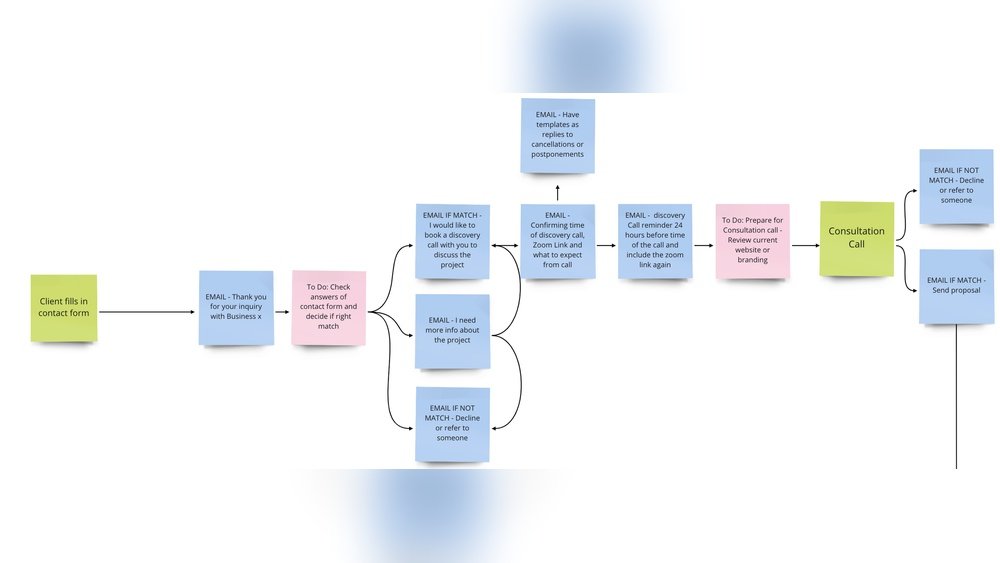
Quick answer: The most useful Dubsado workflow for designers automates the full client journey — inquiry → questionnaire → proposal → contract + invoice → kickoff → offboarding + review request. Build it once and Dubsado handles the follow-ups, reminders and status changes for every new lead.
A proven designer workflow
- Lead capture: website form → auto-reply with your questionnaire.
- Proposal: send packaged scope + pricing; auto-reminder at 3 days.
- Contract + invoice: trigger on proposal approval; deposit required to book.
- Kickoff: welcome packet + project timeline sent automatically.
- Offboarding: final files, invoice paid check, and a review/testimonial request.
Pricing verified against 2026 sources incl. SoloPad and Taskip. Confirm current prices on each vendor’s site.
How we review: total cost, customization, ease of use and real user feedback — see our methodology. Last updated June 2026.
Are you a designer struggling to keep your projects organized and your clients happy? Imagine having a system that handles your emails, contracts, invoices, and reminders—all automatically.
That’s exactly what Dubsado workflows can do for you. You’ll discover practical Dubsado workflow examples tailored specifically for designers like you. These simple yet powerful setups will save you time, reduce stress, and help you focus on what you love—creating stunning designs.
Ready to transform your design business and impress your clients with seamless project management? Keep reading to unlock the secrets of smart automation with Dubsado workflows.
Credit: streamlinedcreative.com
Dubsado Basics For Designers
Dubsado is a popular tool that helps designers manage projects and clients. It simplifies tasks like sending contracts, invoices, and emails. Using Dubsado saves time and keeps your work organized.
This section covers the basics of Dubsado for designers. It explains key features, how to set up your account, and the main parts of a workflow.
Key Features For Designers
Dubsado has features made for creative professionals. You can create custom forms and contracts. It also automates emails to stay in touch with clients. Task and project tracking help you meet deadlines. Client portals let clients view their project status easily.
Setting Up Your Account
Start by signing up for a Dubsado account. Choose a plan that fits your business size. Set your branding by adding your logo and colors. Connect your email to send messages from Dubsado. Add your payment methods to accept client payments.
Workflow Components
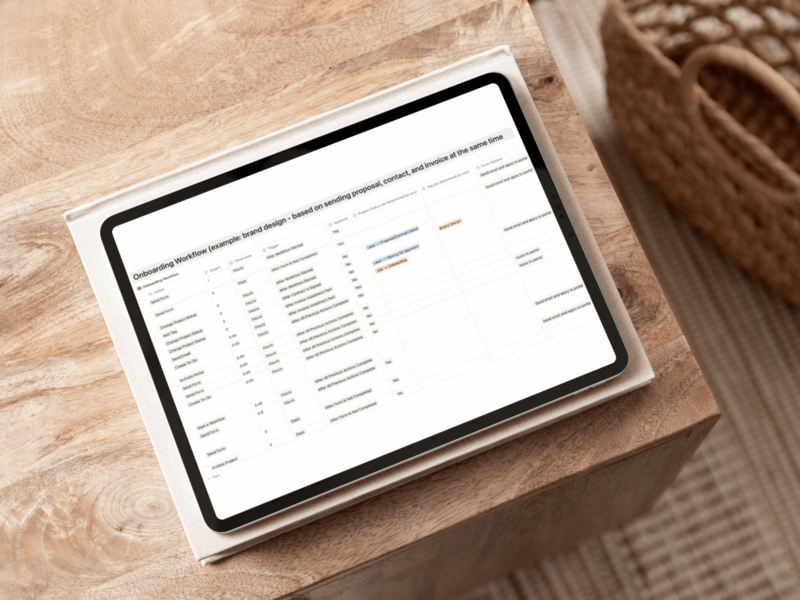
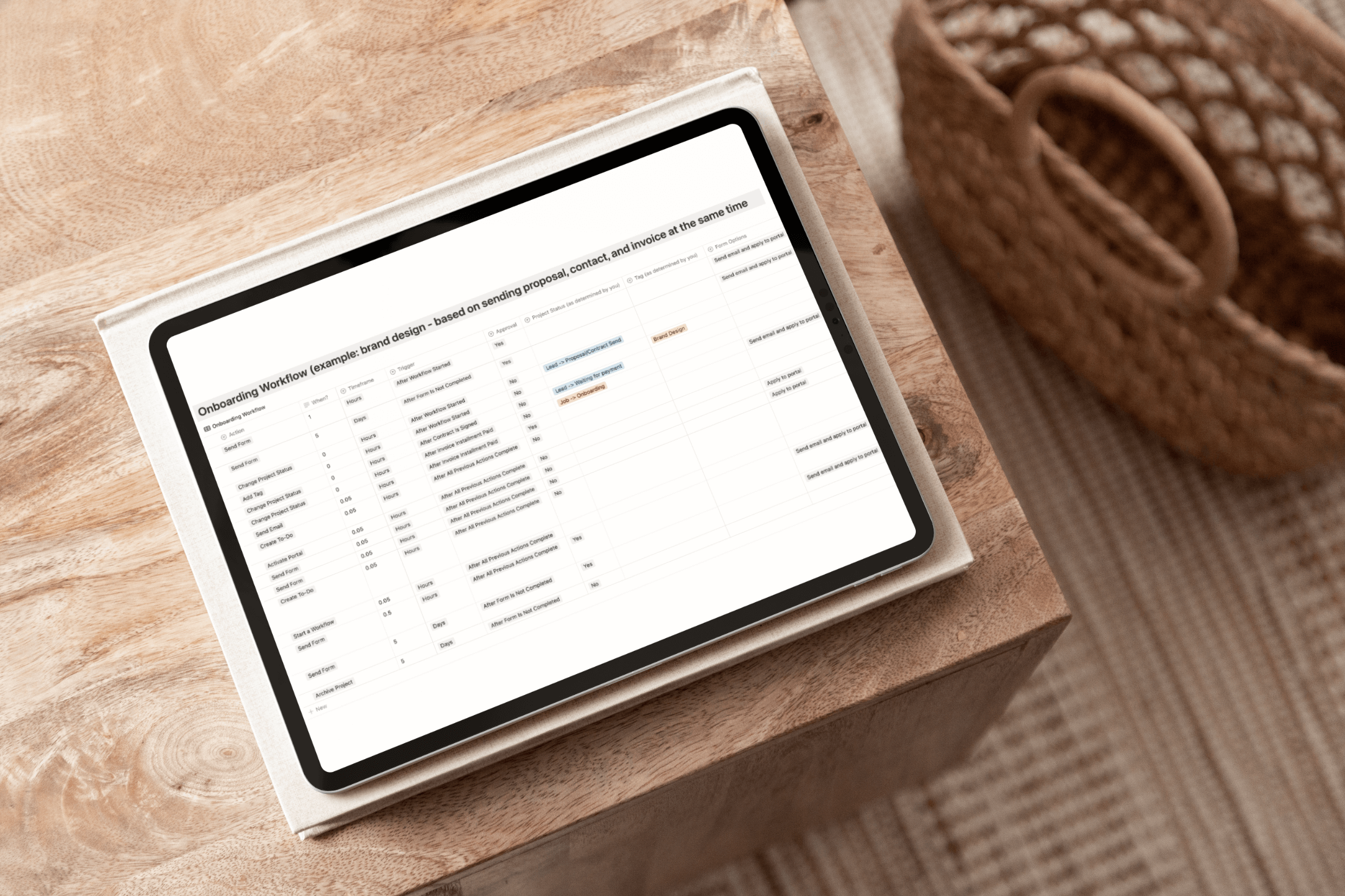
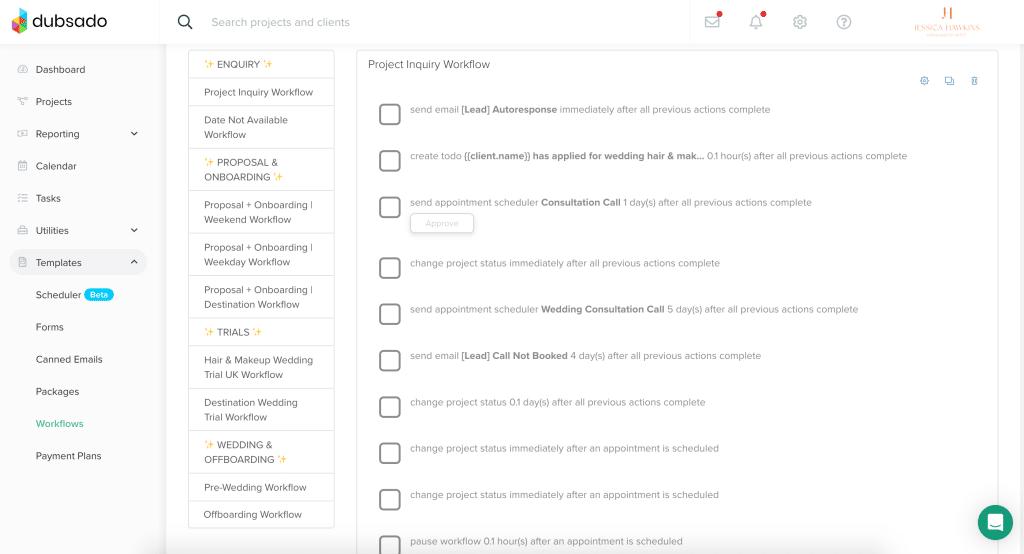
Workflows in Dubsado are a series of automated steps. Each step is an action like sending an email or creating a task. You set triggers to start these actions, such as when a client signs a contract. Use templates to save time on messages and forms. Combine steps to guide clients smoothly through your process.
Types Of Workflows In Dubsado
Dubsado offers various workflow types to help designers manage projects efficiently. Each type organizes tasks and automates processes in unique ways. Choosing the right workflow type boosts productivity and keeps projects on track.
Sequential Workflows
Sequential workflows follow a step-by-step order. Each task starts only after the previous one finishes. This setup works well for projects with clear phases. Designers can automate sending contracts, invoices, and questionnaires in sequence. It ensures no step is missed or done too early.
Parallel Workflows
Parallel workflows run multiple tasks at the same time. This method speeds up project progress. Designers can send a contract and a welcome email simultaneously. It saves time and keeps clients engaged. Parallel workflows suit tasks that do not depend on each other.
Rules-driven Workflows
Rules-driven workflows use conditions to trigger actions. These workflows respond to client behavior or project status. For example, if a client signs a contract, the next task starts automatically. Designers can create smart automations that adapt to each project. This type reduces manual work and errors.
Creating Workflows For Design Projects
Creating workflows for design projects in Dubsado helps organize tasks clearly. It saves time and keeps projects on track. Designers can automate steps like sending emails or requesting approvals. This makes managing projects easier and more consistent. Clear workflows reduce mistakes and improve client communication. Below are key steps to build effective workflows for your design projects.
Mapping Your Design Process
Start by listing each step in your design process. Include stages like client briefing, concept creation, revisions, and final delivery. Write down tasks you do repeatedly for every project. This gives a clear picture of your workflow needs. Visualize the order tasks happen. This helps avoid missing steps. Mapping your process sets a solid foundation for automation.
Adding Workflow Actions
Next, add actions that your workflow will perform automatically. Actions include sending emails, creating tasks, or sending invoices. Choose actions that match your mapped steps. For example, send a welcome email after a client signs a contract. Set up reminders for revision deadlines. Adding actions cuts down on manual work. It keeps projects moving without constant oversight.
Choosing Triggers And Timings
Choose triggers that start each action in your workflow. Triggers can be events like a new lead, form submission, or payment received. Set the timing for each action carefully. Decide if an action happens immediately or after a delay. For example, send a follow-up email two days after a proposal is sent. Proper triggers and timings ensure your workflow flows smoothly. This keeps clients informed and tasks on schedule.
Client Onboarding Workflow Examples
Client onboarding is the first step to build strong designer-client relationships. A smooth onboarding process shows professionalism and sets clear expectations. Using Dubsado workflows helps automate tasks and saves time.
Below are examples of client onboarding workflows tailored for designers. These workflows cover key steps to welcome clients, handle contracts, and manage scheduling efficiently.
Welcome Emails And Questionnaires
Start the onboarding with a warm welcome email. This email introduces your services and sets a friendly tone.
Include a questionnaire link to collect important project details. This helps you understand client needs before starting work.
Dubsado automates sending these emails and questionnaires right after a client books your service. It removes manual follow-ups and speeds up information gathering.
Contract And Proposal Automation
Send contracts and proposals automatically through Dubsado workflows. This keeps all legal agreements organized and professional.
Clients can review, sign, and approve documents online. This reduces delays and confusion around paperwork.
Automating this step ensures no contract is forgotten. It also confirms clients agree to your terms before work begins.
Scheduling And Reminders
Allow clients to schedule meetings or calls using Dubsado’s calendar integration. This avoids back-and-forth emails.
Set automated reminders to notify clients of upcoming appointments. This lowers no-shows and keeps projects on track.
Reminders can also include next steps or documents to prepare for the meeting. This keeps clients engaged and informed.
Project Management Workflows
Project management workflows in Dubsado help designers organize their projects efficiently. They simplify task handling, track progress, and improve communication. Using these workflows, designers can save time and avoid mistakes.
Task Assignments And To-dos
Assigning tasks clearly is essential for smooth project flow. Dubsado allows you to set specific to-dos for yourself or team members. Each task can have deadlines and reminders. This way, nothing gets missed, and work stays on schedule.
Milestone Tracking
Milestones mark important points in a project’s timeline. Dubsado workflows let you create and monitor these milestones easily. Tracking progress helps you see if the project is on track. It also keeps clients informed about key achievements.
Client Portal Integration
Client portals offer a space for clients to view project updates and share feedback. Integrating client portals into your workflow improves communication. Clients can check progress anytime without sending emails. This transparency builds trust and speeds up approvals.
Streamlining Communication
Effective communication saves time and reduces stress for designers and clients. Streamlining communication helps keep projects on track and clients informed. Using Dubsado workflows, designers can automate key communication tasks. This keeps messages consistent and timely without extra effort.
Automated Follow-ups
Automatic follow-ups ensure clients never miss important updates. Dubsado can send reminders about upcoming deadlines or payments. Designers set triggers to send emails after specific actions. This keeps clients engaged without manual work. Follow-ups improve client satisfaction and reduce delays.
Feedback And Revisions
Collecting feedback is easy with workflows that ask clients for input. After a design draft is sent, Dubsado can prompt clients to review and reply. Tracking revisions becomes organized and clear. Designers avoid confusion and save time by having all feedback in one place. This speeds up the approval process.
Using Templates Effectively
Templates keep communication professional and consistent. Designers create email templates for common messages like proposals or project updates. Workflows send these templates automatically at the right time. This reduces writing repetitive emails and ensures clear communication. Templates help maintain a strong brand voice.
Time-saving Workflow Tips
Saving time is crucial for designers managing multiple projects. Dubsado workflows help streamline repetitive tasks and keep projects organized. Simple tweaks in your workflow can free up hours every week. Focus on tasks that repeat often and find ways to handle them faster. Here are some practical tips to save time using Dubsado workflows.
Batch Processing Tasks
Grouping similar tasks together saves effort and reduces distractions. Instead of sending individual emails, create one batch to send at once. Review several project files or invoices in one go. This approach minimizes task switching and speeds up your work. Dubsado lets you schedule and automate batch actions, making this method easy to apply.
Using Pre-made Templates
Templates cut down the time spent writing emails, contracts, and forms. Create templates for common messages and documents. Reuse these templates across projects to keep a consistent style. Dubsado allows you to store and customize templates quickly. This reduces errors and keeps communication smooth with clients.
Integrating With Other Tools
Connecting Dubsado with apps you already use saves manual work. Sync your calendar to avoid double bookings. Link accounting software to track payments automatically. Use Zapier or similar tools to connect Dubsado to social media or file storage services. These integrations keep data flowing without extra effort.
Credit: streamlinedcreative.com
Common Workflow Mistakes To Avoid
Creating workflows in Dubsado can save time and keep projects organized for designers. Yet, some common mistakes can reduce their effectiveness. Avoiding these errors helps workflows run smoothly and improves client satisfaction.
Many designers add too many steps, making workflows confusing. Others forget the client’s experience, which can cause frustration. Testing workflows is often skipped, leading to errors and delays.
Overcomplicating Steps
Simple workflows work best. Too many steps slow down the process. Complex workflows can confuse both you and your clients. Keep actions clear and necessary. Focus on what truly moves the project forward.
Ignoring Client Experience
Workflows should make clients feel valued and informed. Avoid sending too many emails or unclear instructions. A smooth, friendly workflow improves trust and communication. Think about the client’s journey at each step.
Failing To Test Workflows
Testing is crucial before using workflows with clients. Skipping tests can cause missed emails or wrong triggers. Run through each step yourself. Fix problems early to save time and avoid confusion later.
Advanced Workflow Strategies
Advanced workflow strategies help designers automate complex tasks and improve client management. These strategies save time and reduce errors. They allow you to tailor the client experience and handle more projects smoothly. Using Dubsado’s features creatively can boost your design business efficiency.
Conditional Logic Use
Conditional logic lets you create workflows that react to client choices. For example, send different emails based on project type or payment status. This keeps communication clear and personalized. It stops irrelevant messages from going out. You can set conditions like “if client pays, then send invoice.” This makes your workflows smarter and more flexible.
Customizing Client Journeys
Designers can build unique client journeys for each project. Use Dubsado to map out steps from inquiry to final delivery. Add custom forms, contracts, and questionnaires based on project needs. This creates a smooth and professional process for clients. Personalized journeys improve client satisfaction and reduce confusion.
Scaling Workflows For Growth
As your design business grows, workflows must handle more clients efficiently. Build scalable workflows that work for different project sizes. Use templates to save time on repeat tasks. Automate follow-ups and reminders to keep projects on track. Scalable workflows help you manage growth without extra stress.
Resources And Templates
Finding the right resources and templates can simplify your use of Dubsado workflows. Designers can save time by starting with ready-made materials. These help set up smooth processes for managing clients and projects. Accessing quality templates and guidance boosts efficiency and consistency.
Free Workflow Templates
Many websites offer free Dubsado workflow templates made for designers. These templates include steps like sending contracts, invoices, and questionnaires. You can customize them to fit your style and business needs. Using these templates reduces setup time and avoids starting from scratch.
Tutorials And Courses
Step-by-step tutorials explain how to build and optimize workflows in Dubsado. Some courses focus on design business needs, showing practical examples. Watching videos or reading guides helps you understand automation better. This support makes managing projects less stressful and more organized.
Community And Support
Joining online groups connects you with other Dubsado users, especially designers. These communities share tips, templates, and solutions to common problems. You can ask questions and get quick answers from experienced users. Active support groups help you learn faster and improve your workflows.
Credit: sarahworboyes.co.uk
Frequently Asked Questions
What Is The Work Flow Of A Graphic Designer?
A graphic designer’s workflow includes understanding client needs, brainstorming ideas, creating drafts, refining designs, and delivering the final product efficiently.
What Are The Four Types Of Workflows?
The four types of workflows are sequential, parallel, state machine, and rules-driven workflows. Sequential tasks depend on previous ones. Parallel tasks run simultaneously. State machine workflows change based on states. Rules-driven workflows follow specific conditions or rules.
How To Create A Workflow In Dubsado?
To create a workflow in Dubsado, click “Add Action,” select the desired task, set a trigger, customize content, and save it.
What Are The 5 Steps Of Workflow?
The 5 workflow steps are initiation, planning, execution, monitoring, and completion. These ensure smooth and efficient task management.
Conclusion
Dubsado workflows help designers organize tasks clearly and save time. Setting up simple steps keeps projects moving smoothly. Automating emails and reminders reduces mistakes and follow-up work. Try different workflow actions to fit your unique design process. Over time, workflows improve client communication and project delivery.
Keep workflows updated as your business grows and changes. Small changes in workflows can lead to big improvements in efficiency. Use these examples to build your own easy, effective system. Your design projects will feel more organized and less stressful.
Related Guides
- Model Release Form (Standard): Essential Guide for Photographers
- Is Dubsado Too Hard to Learn? Unveiling the Truth Quickly
- Best Invoicing App for Videographers: Streamline Payments Fast
- Honeybook Vs Dubsado for Photographers